AI Counter
Counting moving objects is a common task today. Many areas of human activity require tracking various types of moving objects, such as people visiting shopping malls, traffic on busy roads, and products moving along a factory line, among others. In the past, the hardware needed for this task was prohibitively expensive. However, advancements in technology have made it possible to carry out this task effectively with a pocket-sized computer that is affordable.
In this project, we will demonstrate how to use a small computer to count moving objects in a video stream. The computer is equipped with a camera that captures the video input, which is then processed by an artificial intelligence network. The network has been trained to recognize and detect specific classes of objects, such as cars, trucks, motorcycles, bicycles, and pedestrians. Once the objects are detected, they are counted as they cross predefined lines or enter designated zones within the video frame.
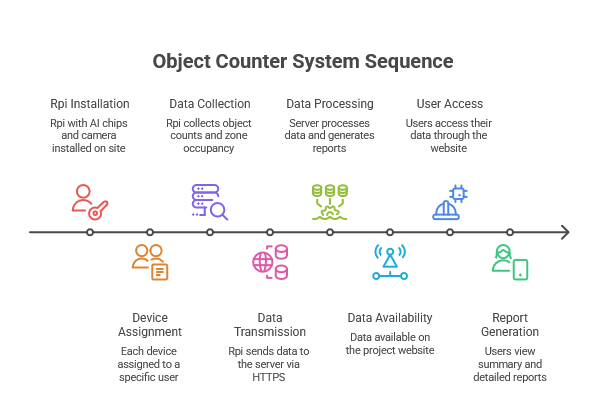
Object counter process is described in the image on the left. The video input is processed by an artificial intelligence network that has been trained to recognize and detect specific classes of objects. Once the objects are detected, they are counted as they cross predefined lines or enter designated zones within the video frame. The results of the counting process are then stored in a database for further analysis and reporting.
Crossing Lines
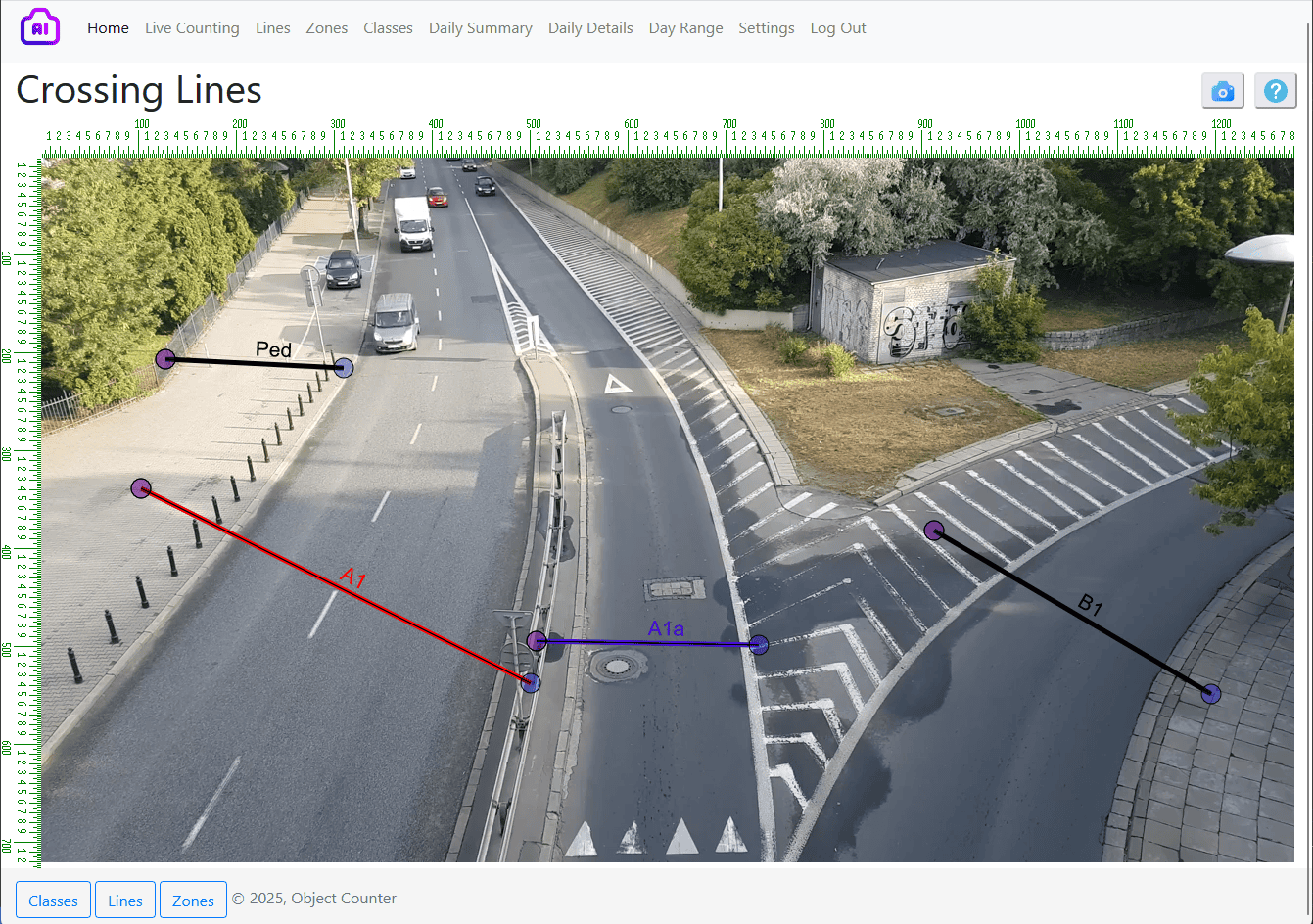
In the video source image, lines are used to count objects as they cross them.

Lines are essential for counting objects. An object is counted when it crosses a line. Each line has two directions: "in" and "out," determined by the positions of its starting and ending points. To reverse the directions, simply swap the starting and ending points of that line.
You can create an unlimited number of lines and also choose which objects to exclude from counting on a specific line. Resizing or moving a line is as simple as dragging its two endpoints.
To update all the settings for a line, double-click on one of its points to open a dialog. You can create a new line by dragging the mouse from the starting point to the ending point of the line. The dialog for defining a line is shown in the image on the right
Zones
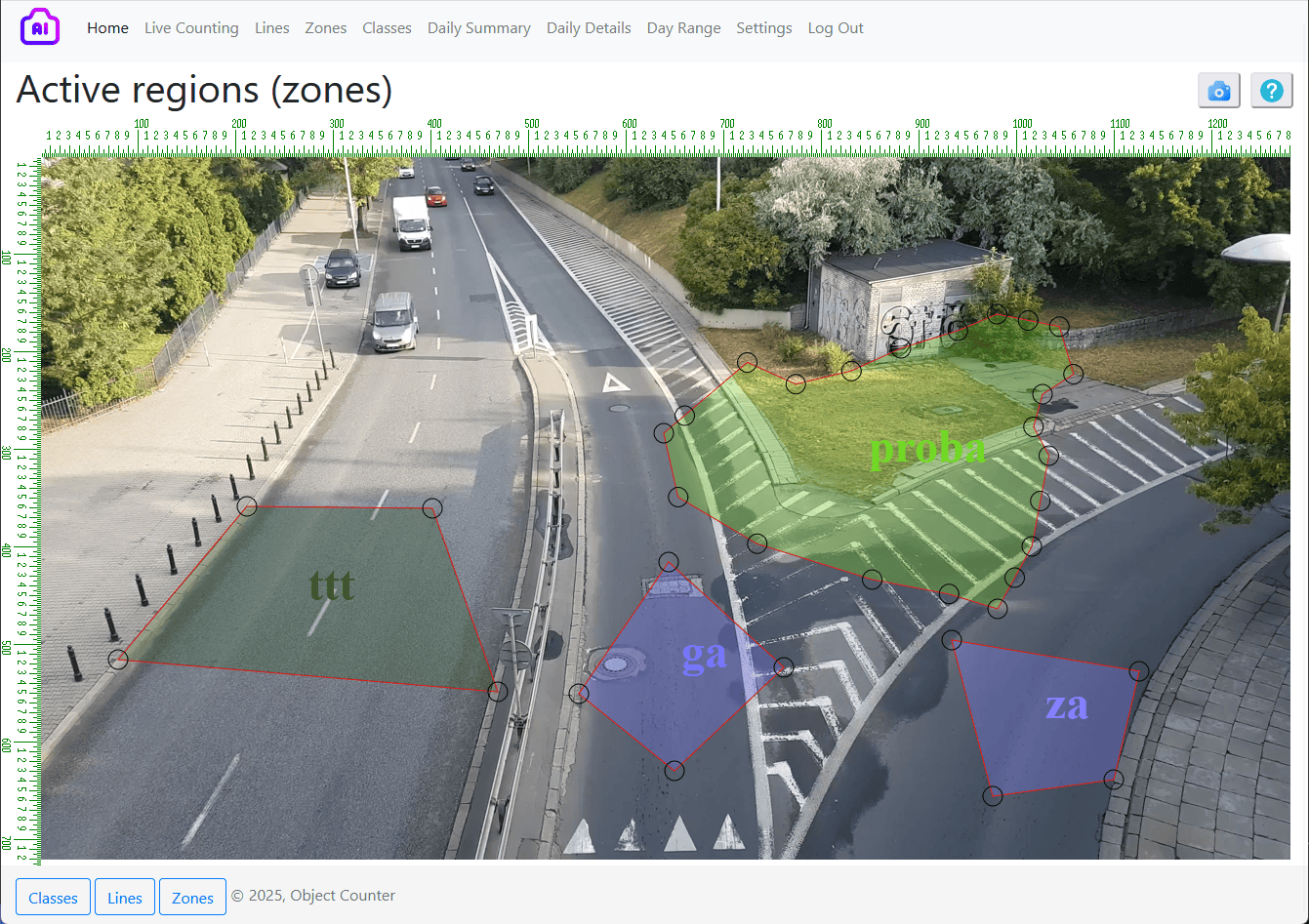
Zones refer to defined areas within the video input where you want to measure the occupancy of specific objects over time.
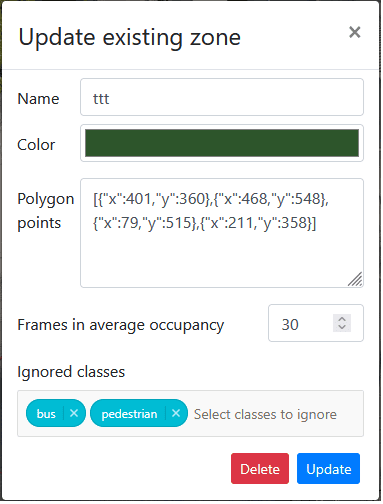
In each frame of the video, objects are counted if their central positions fall within the polygon of a designated zone. Given that a common frame rate is 30 frames per second (fps), recalculating zone occupancy every 1/30th of a second can be challenging. To simplify this, each zone has a parameter called "frames in average occupancy." This parameter provides an average count of occurrences for each class of objects within the zone, based on the specified number of frames.
For example, if your video input has a frame rate of 30 fps and you set the frames in average occupancy to 30, the zone occupancy will be reported every second. Setting it to 300 will result in a report every 10 seconds.
You also have the option to specify which object classes to ignore when counting in a particular zone. Simply add those classes to the list of excluded types.
One of the most user-friendly features is the ability to modify the shape of the zones with simple mouse clicks on the points that define them. You can move a point by dragging and dropping it to the desired location. To add a new point to the polygon, hold down the CTRL key while clicking on an existing point, and a new point will be inserted between that point and the next one. To delete a point, hold down the ALT key while clicking on it.
Classes
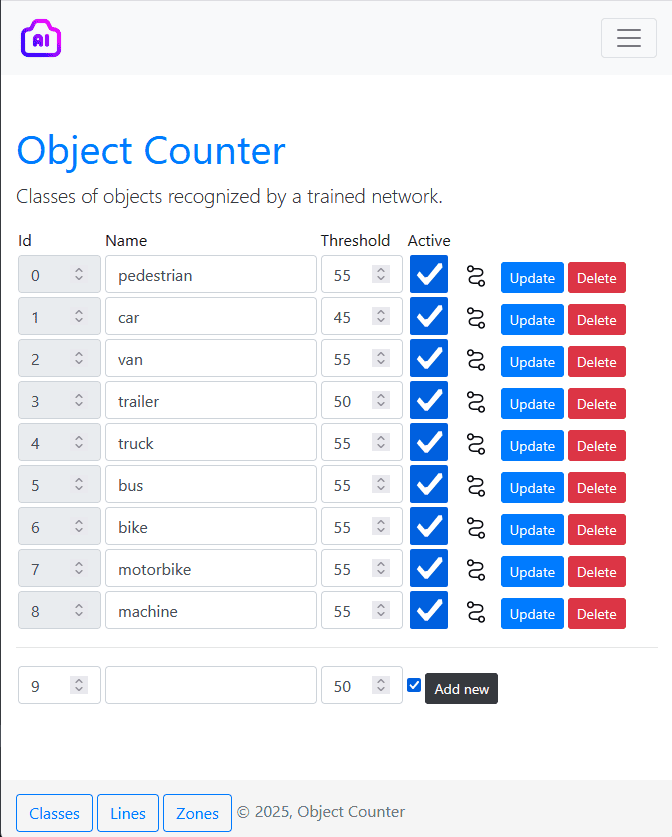
Classes of objects in training artificial intelligence to recognize and detect them in the image.
The classes used in this particular setting are from the road traffic application.
You can make some of them ignored by setting them as inactive.
If the detection confidences are having low values for your particular camera setting then you can try to lower the threshold value. Also if you have similar objects wrongly detected, you can raise the threshold value to filter them out.
Project Summary
To summarize this product presentation I can emphasize that it is highly customizable, so it is readily applicable to other fields.
Learning the network for a completely new set of classes of objects is a simple task of annotation several hundreds of images.
The hardware on which it works is readily available and cheap. It is also open source platform, ready to connect over all kinds of protocols, connecting to other devices with all kinds of interfaces. To summarize this product presentation I can emphasize that it is highly customizable, so it is readily applicable to other fields.
Learning the network for a completely new set of classes of objects is a simple task of annotation several hundreds of images.
The hardware on which it works is readily available and cheap. It is also open source platform, ready to connect over all kinds of protocols, connecting to other devices with all kinds of interfaces.
Data persistence
Storing data related to all counts along with images of the counted objects can be a challenge due to the sheer size of this information. To address this issue, the Stonito AI Counter offers a convenient setting that allows users to specify an interval for archiving the locally stored data, which is then sent to a remote server.